Free QR queue system
No hardware. No app. Your customers wait anywhere.
Put a QR code on any screen at your venue. Customers scan it, take a ticket on their own phone, and watch their place in line from wherever they like.
- Free plan, forever
- No app for customers
- Set up in minutes
The screen at your venue, and the ticket on your customer’s phone.
Made for places with a line at the counter
- Salons, barbers and grooming
- Counter-service food and drink
- Private clinics, dental, labs and vets
- Pharmacies
- Car and motorcycle service, tyres, car washes
- Phone repair and small electronics
- Sit-down restaurants
- and any counter with a line
You already know the problem
-
The doorway crowd
At the busy hour there are more people standing inside your door than you have chairs, and nobody coming in can get past them.
-
Shouting the numbers
Somebody has to keep calling out who is next, over the noise, in between serving the person already at the counter.
-
The ones who walk off
A customer looks at the crowd, decides it is not worth the wait, and leaves without you ever knowing they came.
How it works
-
A001
Put the QR screen on any display
Open one link in the web browser of the TV, tablet or old laptop you already have at the venue, and tap once to start it. It shows a QR code — a fresh one every minute — beside the ticket being served and the numbers coming up.
-
A002
Customers scan and pick what they came for
They point a phone camera at the code, choose their language and their service, and a ticket opens in their browser. From then on they can see their number and their place in line, so they can wait in the shade, next door or in the car.
-
A003
Your staff tap Next at the counter
Staff sign in to the counter screen and call the next ticket, call it again, transfer it to another service or mark it done. If you have switched WhatsApp notices on, the customer gets a message saying it is their turn and which counter to come to.
Your own admin panel sits behind all of it: who is waiting, who is being served, the longest wait right now, and the place you add services, counters, staff and screens.
Four screens, and that’s the whole thing
-
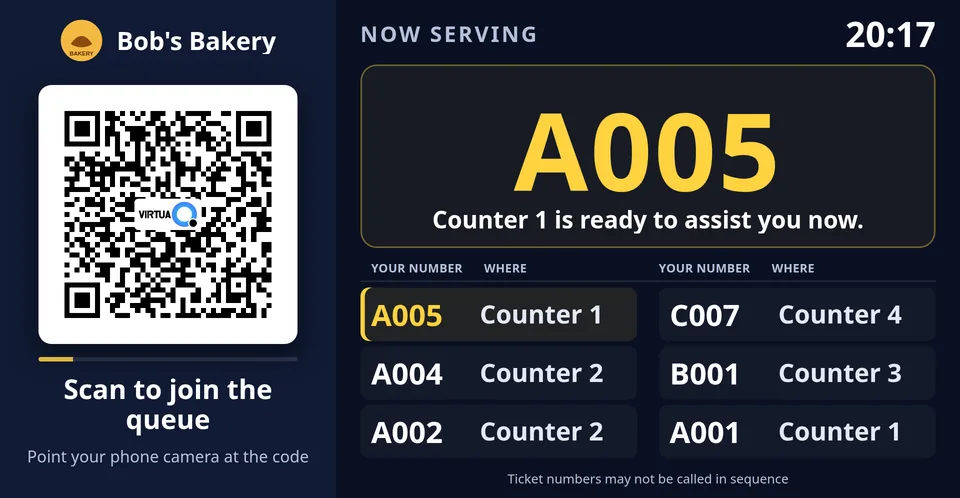
The QR screen at your venue
Any TV, tablet or laptop with a web browser, left open on one page. It shows the code to scan and the ticket being served, calls the number out loud, and keeps going on its own.
-
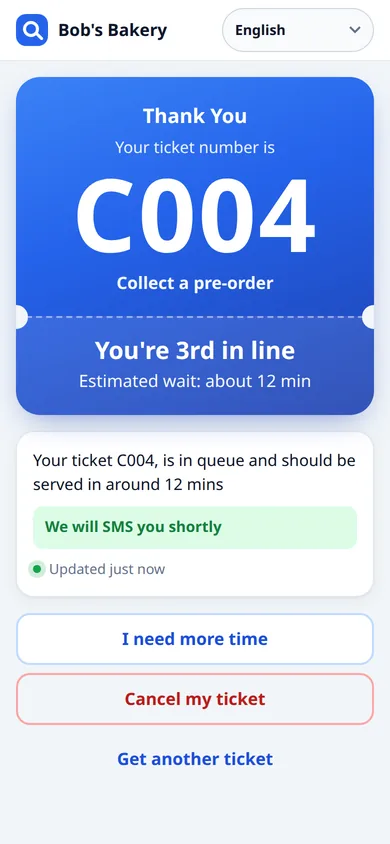
Your customer’s phone
No app and no sign-up — the camera opens a web page. They pick a service, get a ticket number, and then watch their position in line and roughly how long is left.
-
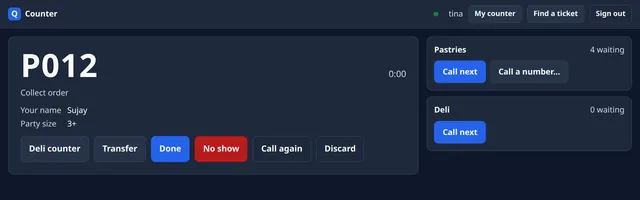
The counter screen
Whatever is already on the counter — a shared computer, a tablet, a phone. Call next, call again, find a ticket by number, transfer it to another service, done.
-
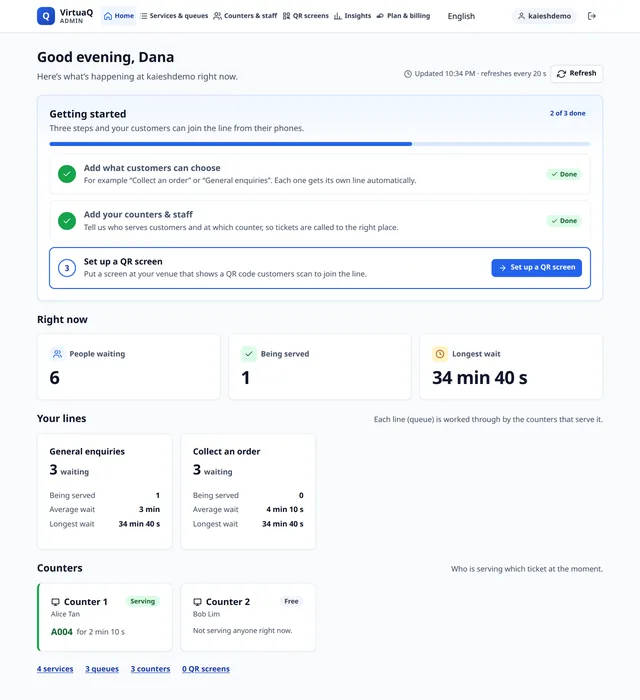
Your admin panel
Home shows people waiting, people being served and the longest wait, refreshed while you watch. Services and queues, counters and staff, insights and your plan are all in the same place, in your language.


Why owners choose it
-
Nothing to buy
Any screen with a web browser works for the QR board, the counter runs on what is already there, and your customer only needs a phone camera.
-
Up in minutes
A few short steps — what people queue for, who serves them — and the system builds itself while you watch.
-
Ten languages
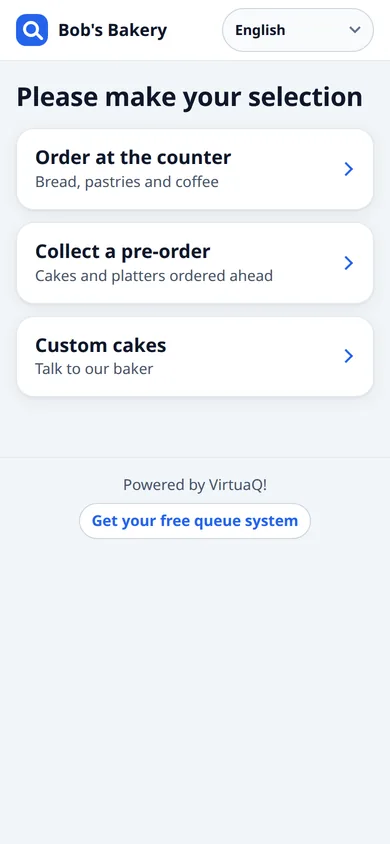
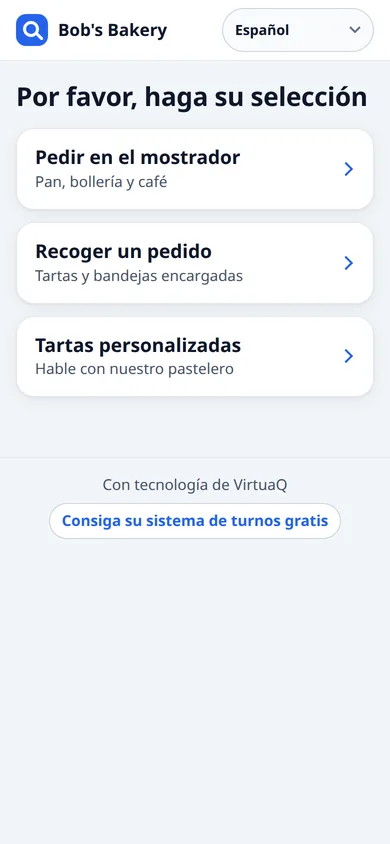
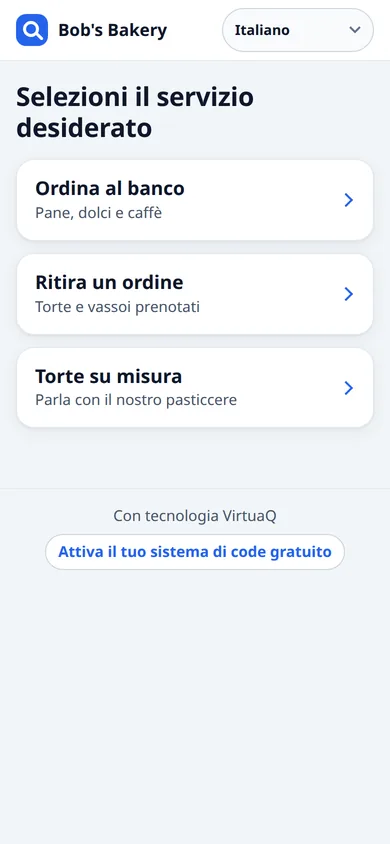
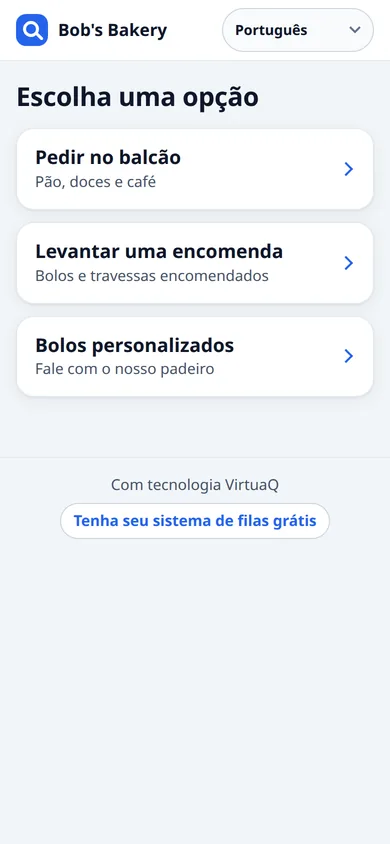
Your customer picks their own language on their own phone, before they choose what they came for.
-
WhatsApp on their turn
Switch it on and a customer who leaves their number gets a message when they take a ticket, and another when it is their turn.
-
Free, forever
The free plan is the whole queue system at no charge, with no end date and no card to enter.
-
Your customers stay yours
The tickets, and any name or number a customer types, live in your own queue system — we keep only what a WhatsApp notice needs in order to go out and be paid for.
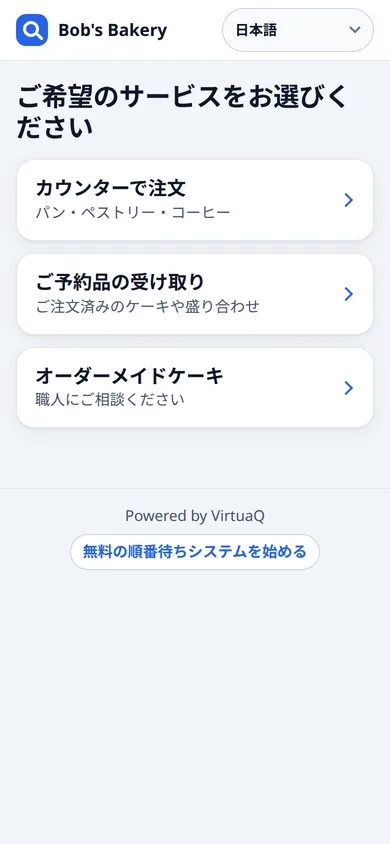
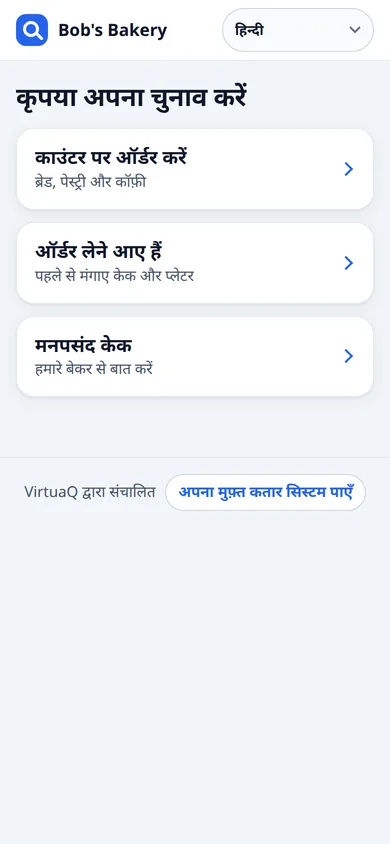
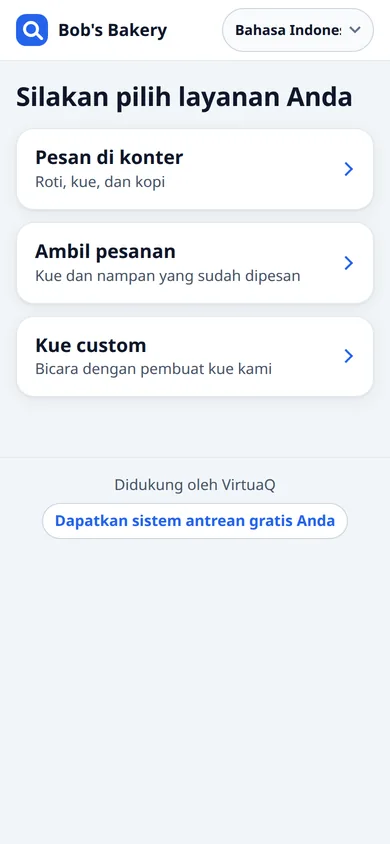
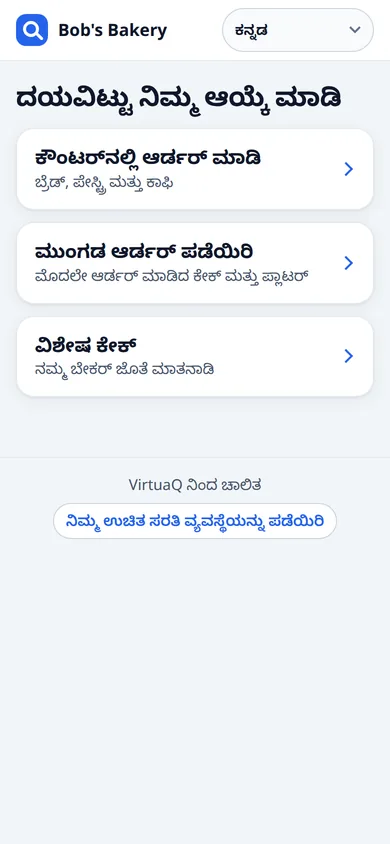
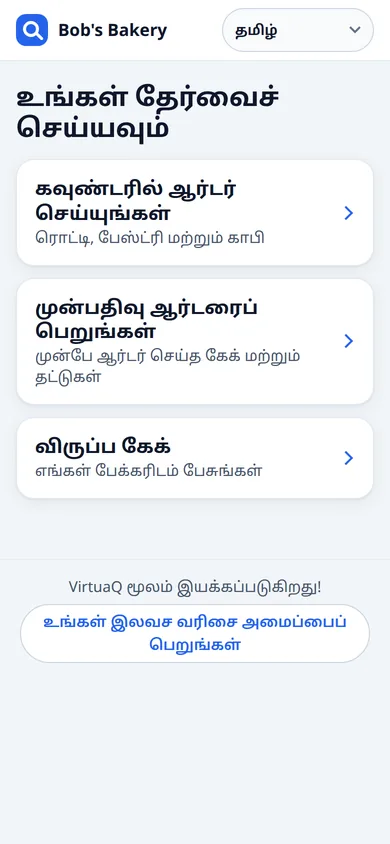
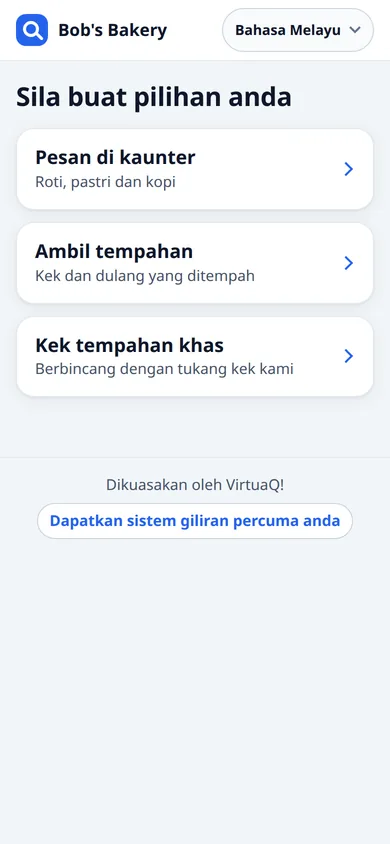
Ten languages
Your customer chooses theirs on their phone; you choose the language of each screen, of each member of staff, and of your own admin panel.
Pricing
Start free. Upgrade when you need more counters.
-
Free
$0 per month
The whole queue system — every line, every screen — at no cost.
- Up to 10 staff accounts
- Shows “Powered by VirtuaQ” to customers
- WhatsApp notices whenever you have credit
-
Ad-free
$19 per month
Takes the VirtuaQ name off your customers’ tickets and your screens.
- Everything in the plan before it
- Up to 10 staff accounts
- No VirtuaQ name on tickets or screens
-
Starter
$29 per month
Puts your own message on every ticket, and covers more staff.
- Everything in the plan before it
- Up to 15 staff accounts
- Your own message on every ticket
-
Business
$79 per month
For venues running a lot of counters at once.
- Everything in the plan before it
- Up to 50 staff accounts
WhatsApp notices
WhatsApp is paid from credit you add up front: no subscription, and no obligation to use it at all. What a notice costs depends on the country you are messaging, from about a cent. If a notice is accepted but cannot be delivered, the credit goes back into your wallet.
On the free plan your customers’ tickets and your screens show “Powered by VirtuaQ”, and a short VirtuaQ line appears between the headlines if you switch the news ticker on. It is our own name and nothing else — we never put another company’s advertising in front of your customers. Any paid plan takes it off.
From Starter up, that line at the bottom of the ticket becomes yours instead — a special, your opening hours, anything you like, with a link if you want one.
Each plan includes everything in the one before it, and you can change or cancel whenever you like. Prices are in USD, billed monthly by card. Your card details go to Stripe and never to us.
Questions owners ask
Is the free plan really free?
Yes. It is the whole queue system at no charge, with no end date and no card to enter. There is no trial to run out, because it is not a trial.
What’s the catch?
On the free plan your customers’ tickets and your screens show “Powered by VirtuaQ”, and a short VirtuaQ line appears between the headlines if you switch the news ticker on. It is our own name and nothing else — we never put another company’s advertising in front of your customers. Any paid plan takes it off.
Do I need to buy any hardware?
No. The screen at your venue is any TV, tablet or old laptop with a web browser, the counter runs on whatever computer, tablet or phone is already there, and your customer needs a phone with a camera. There is nothing to buy from us — no kiosk, no ticket printer.
Does my customer have to download an app?
No. They point their camera at the QR code and a web page opens — no app, no account, no sign-up. The ticket is remembered on their phone, so they can lock it and come back to it.
How do customers know it’s their turn?
Their ticket page shows their number, their position in line and roughly how long is left, and it tells them when they are called. The screen at your venue calls the number out loud as well. If you have switched WhatsApp notices on and they left their number, they also get a message.
What do WhatsApp notices cost?
You add credit up front and pay only for what you send — there is no subscription and no obligation to use it at all. What one notice costs depends on the country you are messaging, from about a cent. You can set your own hourly and daily sending limits, and anything beyond a limit is not sent and not charged.
How long does it take to set up?
A few short steps: your email address, your WhatsApp number, what people queue for and who serves them. The system builds itself while you watch and lands you in your own admin panel, in minutes. Putting the screen up at the venue is opening one link on it.
Can I run several counters and services?
Yes. Every service you add gets its own line, every member of staff gets their own counter, and you choose which lines each person serves. One service can feed several lines, or several services can share one line, if that is how your venue works.
What languages does it work in?
Ten: English, Spanish, Italian, Portuguese, Japanese, Hindi, Indonesian, Kannada, Tamil and Malay. Your customer picks theirs on their own phone, and you set the language of each screen, each member of staff and your own admin panel.
What if my customer walks away?
They keep their place. The ticket lives on their phone, so they can wait outside, next door or in the car and come back when they are called. If they miss the call, your staff can find the ticket by number and put them back in the line.
What happens to my customers’ details?
The tickets, and any name or number a customer types, live in the queue system that belongs to your venue — they are yours, and which laws you owe your customers under is a matter between you and them. In our own database a customer appears only as the number a WhatsApp notice went to, and by ticket number in the record of what that notice cost.
Can I cancel?
Yes, whenever you like, from the billing page in your admin panel. A plan you cancel keeps working until the end of the period you have paid for, and then the venue carries on on the free plan.
What does the counter screen run on?
A web browser, on whatever is already at the counter. Staff sign in with your venue id, their own sign-in name and password; the device remembers the venue id afterwards. They never see your account, and you set each person’s language for them.
Do I need to be online?
Yes. Everything runs in a web browser, so your venue needs a working internet connection and so do your customers’ phones. The screen keeps showing valid QR codes through a short drop, but calling and serving tickets happens online.
Put your queue on a screen today
Sign up with an email address and a WhatsApp number, answer a few questions about what people queue for, and your queue system builds itself.
Saw VirtuaQ on a ticket? This is it.